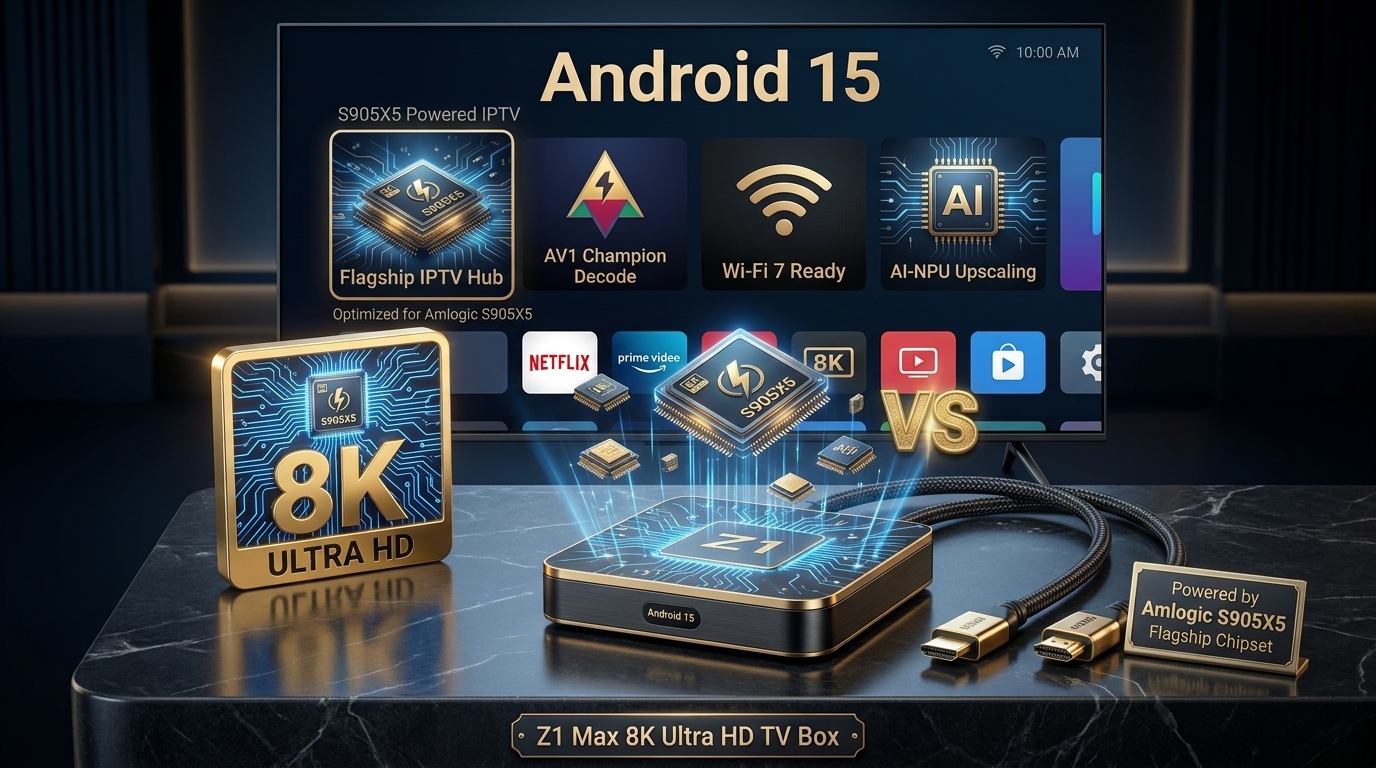
What is the Z1 Max 8K Ultra HD?
The Z1 Max 8K Ultra HD is a mid-range Android TV box designed for IPTV streaming. It promises 8K output capability, Android 15 OS, and support for popular IPTV services like Z1 IPTV.
But does it actually deliver? In this review, we'll break down its specs, real-world performance, and whether it's worth your money in 2026.
📊 Z1 Max 8K Ultra HD at a Glance
- OS: Android 15
- Processor: Quad-core ARM Cortex (likely S905X5M or similar)
- RAM: 2GB / 4GB options
- Storage: 16GB / 32GB / 64GB
- Max Resolution: 8K output (4K native decoding)
- Connectivity: WiFi 5 / Bluetooth
Z1 Max 8K Ultra HD: Full Specifications
| Specification | Details |
|---|---|
| Operating System | Android 15 |
| Processor | Quad-core ARM Cortex (S905X5M-class) |
| GPU | Mali-G310 or similar |
| RAM | 2GB / 4GB |
| Storage | 16GB / 32GB / 64GB |
| Max Resolution | 8K output (4K decode) |
| WiFi | WiFi 5 (2.4GHz + 5GHz) |
| Bluetooth | Bluetooth 4.2 or 5.0 |
| Ports | HDMI, USB 2.0, Ethernet (varies) |
Performance: What to Expect
The Z1 Max is not a flagship device. Its processor is modest compared to premium chips like the Amlogic S905X5.
For basic IPTV streaming, Kodi, Netflix, and YouTube, it handles the job. But for high-bitrate 4K sports or true 8K content, it can struggle. To understand the chip differences, read our Amlogic S905X5M vs S905X5 vs S905X comparison.
⚠️ Important: The Z1 Max's "8K" label refers to HDMI output support, not native 8K video decoding. For true 8K decoding, you need a device with the Amlogic S905X5 and H.266 support.
Android 15: The Real Advantage
The biggest selling point of the Z1 Max 8K Ultra HD is Android 15. It brings:
- ✅ Improved privacy controls
- ✅ Better multitasking
- ✅ Full Google Play Store access
- ✅ Compatibility with modern IPTV players (TiviMate, IPTV Smarters, Kodi)
Z1 IPTV Compatibility
The Z1 IPTV service works on the Z1 Max 8K Ultra HD without issues. Setup is simple:
- Install an IPTV player (TiviMate or IPTV Smarters)
- Enter your Z1 IPTV credentials (Xtream Codes or M3U URL)
- Start streaming
For a complete setup guide, read our How to Install IPTV on Firestick guide (the process is similar).
Z1 Max vs iPTV8KMax Hardware
How does the Z1 Max compare to premium hardware options?
| Feature | Z1 Max 8K Ultra HD | Best (S905X5 Boxes) |
|---|---|---|
| Processor | S905X5M-class | S905X5 (Armv9) |
| 8K Decode | No (output only) | Yes (native) |
| H.266 Support | No | Yes |
| AI Upscaling | No | Yes |
| Price Range | $60-100 | $100-200 |
For a detailed comparison, read our S905X5 vs Z1 IPTV comparison. And to see the best devices, read our Top S905X5 Android TV Boxes.
📖 Read Also:
Learn the difference between Z1 Max and premium chips in our S905X4 vs S905X5M comparison.
Who Should Buy the Z1 Max 8K Ultra HD?
✅ Buy It If You...
- Are on a tight budget ($60-100)
- Only watch casual 1080p/4K content
- Want Android 15 without paying a premium
- Need a secondary box for a bedroom or spare room
- Use it with Z1 IPTV or similar services
❌ Skip It If You...
- Want true 8K decoding
- Watch a lot of live sports in 4K
- Want AI upscaling for 1080p content
- Want H.266 support for future-proofing
- Can afford a premium device with the S905X5
Setting Up Z1 IPTV on the Z1 Max
Once you have the Z1 Max 8K Ultra HD, you can install Z1 IPTV in minutes:
- Install TiviMate or IPTV Smarters from the Google Play Store
- Open the app and select "Add Playlist"
- Enter your Z1 IPTV credentials (Xtream Codes or M3U URL)
- Wait for channels to load
- Start streaming
For more on IPTV players, read our TiviMate Installation Guide. If you experience buffering, see our IPTV Buffering Fix Guide.
Testing Z1 IPTV Before Buying
Before committing to any IPTV subscription, always test the service first. Read our guide: How to Get an 8K IPTV Free Trial.
Comparison: Z1 IPTV vs iPTV8KMax
If you're choosing between Z1 IPTV and iPTV8KMax, here's a quick comparison:
| Feature | Z1 IPTV | iPTV8KMax |
|---|---|---|
| Channels | Varies | 50,000+ |
| VOD Titles | Varies | 250,000+ |
| Max Quality | 4K | 8K |
| AI Upscaling | No | Yes |
| H.266 Support | No | Yes |
| Price/Year | Varies | $49 |
For a detailed breakdown, read our Dream 4K vs iPTV8KMax comparison. And for channel lists, see our Best IPTV Channel Lists 2026.
🚀 Get the Ultimate IPTV Experience
Upgrade from Z1 IPTV to iPTV8KMax for 50,000+ channels, 250,000+ VOD titles, and true 8K streaming. Plans from $49/year.
⭐ Get iPTV8KMax Now → 💬 Free Trial on WhatsApp →Frequently Asked Questions
Is the Z1 Max 8K Ultra HD worth it?
For budget users, yes. But for serious IPTV enthusiasts who want true 8K, we recommend a device with the Amlogic S905X5.
Does the Z1 Max 8K Ultra HD support true 8K?
No. The "8K" label refers to HDMI output support, not native 8K decoding. For true 8K, you need H.266 support.
What's the best alternative to Z1 Max?
Devices with the Amlogic S905X5, such as the Ugoos AM9 or BuzzTV Classic AI. See our Best 8K Media TV Boxes 2026.
Does Z1 IPTV work on other devices?
Yes! Z1 IPTV works on Firestick, Android TV, iOS, and more. For setup, read our IPTV Firestick Installation Guide.
Can I watch 8K IPTV on Z1 Max?
You can watch content labeled 8K, but it will be downscaled to 4K. For true 8K, read our 8K IPTV on Firestick Guide.
Conclusion
The Z1 Max 8K Ultra HD is a solid budget option for casual IPTV streamers using Z1 IPTV. Its Android 15 OS is a plus, and it handles everyday streaming well. But for serious IPTV enthusiasts who want true 8K, AI upscaling, and H.266 support, we recommend upgrading to a device with the Amlogic S905X5.