Introduction: The IPTV Hardware Landscape in 2026
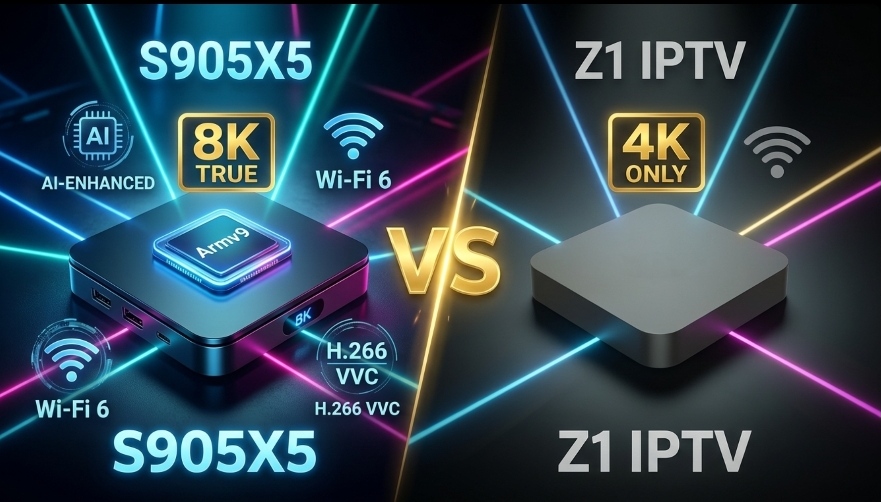
The IPTV market has never been more diverse. On one end, you have premium devices powered by cutting-edge chips like the Amlogic S905X5, designed for AI upscaling, 8K decoding, and future-proof performance. On the other end, budget boxes like the Z1 IPTV offer basic 4K streaming at a fraction of the price.
But here's the critical question: Is the Z1's "8K" claim actually real? And does the S905X5 justify its higher price tag? This guide breaks down the hardware, performance, and real-world IPTV capabilities of both devices so you can make an informed decision.
📊 Quick Verdict
- ✅ Choose S905X5 if: You want true 8K decoding, AI upscaling, H.266 support, and buffer-free IPTV even during peak hours.
- ⚠️ Choose Z1 IPTV if: You're on a very tight budget and only need basic 1080p/4K streaming for casual viewing.
Meet the Contenders: S905X5 vs Z1 IPTV
What is the S905X5?
The S905X5 is Amlogic's latest System-on-Chip (SoC), built on a cutting-edge 6nm process with ARMv9 Cortex-A510 cores. It delivers over 40,000 DMIPS—nearly double the performance of the previous S905X4 generation[reference:0]. The chip also includes a dedicated NPU (Neural Processing Unit) with 3.2 to 4 TOPS, enabling AI Super Resolution (AI-SR) for upscaling lower-resolution IPTV streams to near-4K quality[reference:1].
Devices powered by the S905X5, such as the Ugoos AM9 and BuzzTV Classic AI, are considered premium IPTV boxes in 2026[reference:2].
What is the Z1 IPTV Box?
The Z1 IPTV box is a budget Android TV device powered by the Allwinner H313 quad-core processor (Cortex-A53) with Mali-G31 GPU[reference:3]. It typically comes with 1GB to 2GB RAM and 8GB to 16GB storage, running Android 11 or Android 13[reference:4][reference:5].
While marketed as an "8K" box, the Allwinner H313 is a low-end processor that cannot handle true 8K decoding. Its "8K" claim refers only to the display output resolution, not actual 8K video processing capability[reference:6].
Hardware Specifications: Side-by-Side Comparison
| Feature | Amlogic S905X5 | Allwinner H313 (Z1 IPTV) |
|---|---|---|
| CPU Architecture | ARMv9 (Cortex-A510) | ARMv8 (Cortex-A53) |
| Manufacturing Process | 6nm | 28nm |
| CPU Performance | 40,000+ DMIPS | ~4,000 DMIPS |
| GPU | Mali-G310 V5 | Mali-G31 MP2 |
| NPU (AI Accelerator) | 3.2-4 TOPS with AI-SR | None |
| Max RAM | 8 GB LPDDR4/4X/5 | 1-2 GB DDR3 |
| Video Decode | 4K@120fps, H.266, AV1 | 4K@60fps, H.265 only |
| 8K Decoding | Yes (native) | No (marketing only) |
| HDMI | HDMI 2.1b | HDMI 2.0 |
| WiFi | WiFi 6 | WiFi 5 (dual-band) |
| Ethernet | Gigabit | 100Mbps |
| Android Version | Android 14 | Android 11/13 |
💡 The Reality Check: The S905X5 is 10x more powerful than the Allwinner H313 in the Z1 IPTV box. The performance gap is not incremental—it's generational. The Z1's "8K" label is misleading marketing; it can output a 4K signal but cannot decode true 8K content.
8K Streaming: The Truth About Both Devices
S905X5: True 8K Capable
The S905X5 supports native 8K decoding at 60fps and includes support for H.266 (VVC) and AV1 codecs—the compression standards required for efficient 8K streaming[reference:7]. It also supports HDMI 2.1b with features like Variable Refresh Rate (VRR) and Auto Low Latency Mode (ALLM), ensuring smooth playback on 8K displays.
Z1 IPTV: 4K Only (8K is Marketing)
The Z1 IPTV box uses the Allwinner H313, which is limited to 4K@60fps decoding with H.265 support only[reference:8]. It cannot decode H.266 or AV1, and it lacks the processing power for true 8K video. When you see "8K" in the Z1's product description, it simply means the device can output a signal to an 8K TV—but the video itself will be upscaled 4K or lower[reference:9].
IPTV Performance: What Really Matters
For IPTV users, raw specs are only part of the story. What matters most is real-world streaming performance—specifically, how well the device handles high-bitrate streams without buffering.
S905X5: Built for Buffer-Free IPTV
Benchmarks indicate that devices equipped with the S905X5 and at least 4GB of LPDDR4X RAM maintain consistent sub-50ms jitter when processing H.265/HEVC streams via IPTV middleware[reference:10]. This translates to:
- Zero buffering even during peak hours
- Fast channel switching (under 1 second)
- Smooth EPG navigation without lag
- AI upscaling for 1080p IPTV feeds to near-4K quality
Z1 IPTV: Basic Performance Only
With only 1-2GB RAM and a low-end Allwinner H313 processor, the Z1 IPTV box struggles with demanding IPTV tasks. Users report:
- Buffering during high-demand live events
- Slow channel switching (3-5 seconds)
- Laggy EPG navigation
- No AI upscaling—1080p streams stay at 1080p
- Frequent app crashes due to insufficient RAM
⚠️ Important: A user review of the Z1 Mix box (powered by Allwinner H313) noted that the "2GB RAM and 8GB ROM is not enough to enjoy a video" and recommended at least 4GB RAM and 32GB storage for smooth IPTV performance[reference:11].
Price vs Value: What Are You Really Paying For?
| Device | Typical Price | What You Get |
|---|---|---|
| S905X5 Box | $80 - $150 | True 8K, AI upscaling, WiFi 6, 4GB+ RAM, Android 14, buffer-free IPTV |
| Z1 IPTV Box | $25 - $50 | 4K output only, no AI, WiFi 5, 1-2GB RAM, Android 11/13, basic IPTV only |
The Z1 IPTV box is cheaper, but you get what you pay for. For casual users who only watch occasional 1080p content, it might suffice. But for anyone serious about IPTV—especially those who want to watch live sports in high quality—the S905X5 is the only choice.
Which One Should You Choose?
Choose S905X5 If You...
- Want true 8K decoding capability
- Need AI upscaling for 1080p IPTV streams
- Watch live sports and demand buffer-free performance
- Have a 4K or 8K TV and want to maximize its potential
- Want a future-proof device that will last for years
- Need WiFi 6 and Gigabit Ethernet for stable streaming
Choose Z1 IPTV If You...
- Are on an extremely tight budget (under $50)
- Only watch casual 1080p content occasionally
- Don't have a 4K TV
- Don't mind occasional buffering
- Need a secondary box for a spare room
- Are okay with "good enough" performance
🏆 Our Verdict
For 90% of IPTV users in 2026, the S905X5 is the clear winner. The Z1 IPTV box's "8K" branding is misleading, and its low-end hardware simply cannot deliver a premium streaming experience. The S905X5 costs more, but it delivers true 8K capability, AI upscaling, and buffer-free IPTV—making it the smarter long-term investment.
Setting Up Your IPTV Box for 8K Streaming
Once you've chosen your device, follow these steps to optimize it for 8K IPTV streaming:
1. Use Ethernet, Not WiFi
A wired connection eliminates the variability that causes buffering during high-bitrate streams. Even with WiFi 6, Ethernet is more stable.
2. Enable Hardware Decoding
In your IPTV player (TiviMate, IPTV Smarters), go to settings and enable Hardware Decoder. This offloads video processing to the GPU, reducing CPU load and improving performance.
3. Increase Buffer Size
Set your buffer size to "Very Large" or 10-15 seconds. This pre-loads more video data, smoothing out temporary speed drops.
4. Use a VPN to Prevent ISP Throttling
Many ISPs intentionally slow down streaming traffic. A VPN encrypts your traffic, preventing throttling and ensuring smooth playback.
5. Set Correct Resolution
In your device's display settings, ensure the output resolution is set correctly. For 8K, select 7680x4320. For 4K, select 3840x2160.
🚀 Experience True 8K IPTV with iPTV8KMax
Pair your S905X5 box with iPTV8KMax for the ultimate IPTV experience. 50,000+ channels, 250,000+ movies, and stunning 8K/4K quality. Plans from $49/year. Free trial on WhatsApp.
⭐ Get iPTV8KMax Now → 💬 Free Trial on WhatsApp →⚡ 24/7 Support • Instant Activation • 30-Day Money-Back Guarantee
Frequently Asked Questions
Is the Z1 IPTV box really 8K?
No. The Z1 IPTV box uses the Allwinner H313 processor, which is limited to 4K decoding. Its "8K" claim refers only to the display output resolution, not actual 8K video processing. For true 8K, you need a device like the S905X5.
What is the best IPTV box in 2026?
The best IPTV box depends on your budget. For premium performance, the S905X5 is the top choice. For budget users, the Z1 IPTV box offers basic functionality at a low price.
Do I need 4GB RAM for IPTV?
Yes, for smooth IPTV performance, 4GB RAM or more is highly recommended. Devices with 1-2GB RAM (like the Z1) often experience buffering and app crashes.
What internet speed do I need for 8K IPTV?
For true 8K streaming, you need at least 50-100 Mbps sustained bandwidth. Use an Ethernet connection for the best results.
Can I use the Z1 IPTV box for live sports?
You can, but performance will be limited. The Z1's low-end hardware may buffer during high-demand live events. For reliable live sports streaming, the S905X5 is a much better choice.
Conclusion
The choice between the S905X5 and Z1 IPTV comes down to one question: Do you want a real 8K IPTV experience, or just a cheap box that says "8K" on the packaging?
The S905X5 delivers on its promises—true 8K decoding, AI upscaling, WiFi 6, and the processing power needed for buffer-free IPTV even during peak hours. The Z1 IPTV box, while affordable, is a basic 4K device that struggles with demanding IPTV tasks.
For serious IPTV users, the S905X5 is worth every penny. For casual viewers on a strict budget, the Z1 might suffice—but don't expect premium performance.
Whichever you choose, pair it with a quality IPTV service like iPTV8KMax to unlock the full potential of your hardware.