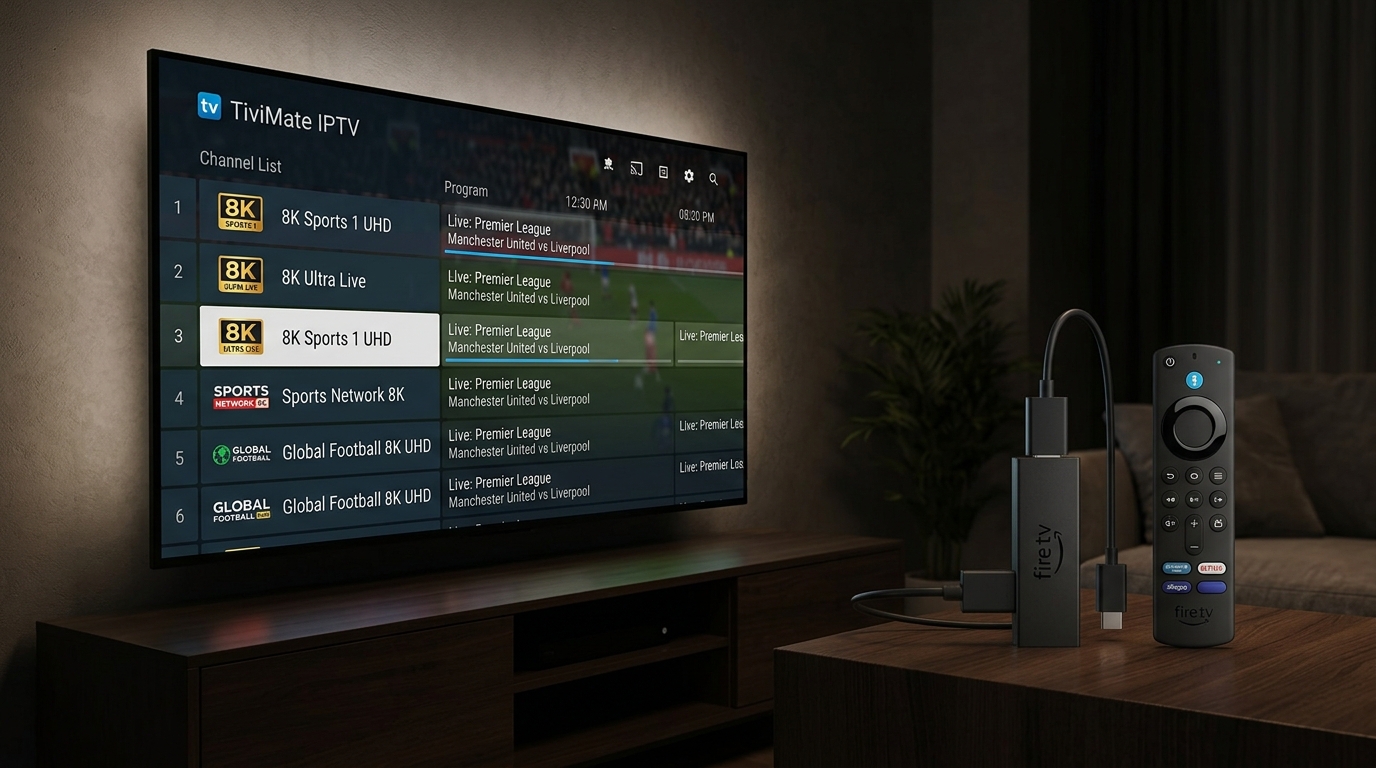
Can Firestick Handle 8K IPTV?
Short answer: Yes, but not all Firesticks are equal. The standard Firestick Lite and regular Firestick cannot handle 8K streaming. However, the Firestick 4K and Firestick 4K Max can handle 8K content – though they will downscale it to 4K for display. For true 8K, you need an 8K TV and an 8K-compatible device like the H96 Max 8K box.
This guide will show you how to set up 8K IPTV on Firestick to get the best possible picture quality.
Firestick Lite
❌ No 8K support
1080p max
Firestick 4K
✅ Can stream 8K
Downscales to 4K
Firestick 4K Max
✅ Best performance
WiFi 6 support
What You'll Need Before Starting
- ✅ Firestick 4K or Firestick 4K Max (required for 8K streaming)
- ✅ 8K IPTV subscription – we recommend iPTV8KMax
- ✅ Fast internet connection – 50 Mbps minimum, 100 Mbps recommended
- ✅ TiviMate or IPTV Smarters app (free download from Amazon Store)
💡 Pro Tip: For the best 8K experience, connect your Firestick via Ethernet using an adapter. Wi-Fi can be unstable at high bitrates.
Step-by-Step: Install 8K IPTV on Firestick
1 Enable Apps from Unknown Sources
Go to Settings → My Fire TV → Developer Options → Turn ON "Apps from Unknown Sources". This allows you to install IPTV apps not in the Amazon Store.
2 Install Downloader App
From Firestick home screen, go to Find → Search → Type "Downloader" → Install the app (orange icon with down arrow).
3 Install TiviMate (Best IPTV Player)
Open Downloader → Enter URL: https://www.tivimate.com/download → Click Go → Download and Install TiviMate.
4 Open TiviMate and Add Your Playlist
Open TiviMate → Click "Add Playlist" → Choose "Xtream Codes" or "M3U URL" → Enter your IPTV credentials (provided by iPTV8KMax after subscription).
5 Start Streaming 8K Content!
Browse to 8K channels (look for "8K" or "Ultra HD" tags) and enjoy the best picture quality available.
Best IPTV Apps for Firestick 8K Streaming
- 🏆 TiviMate: Best overall – beautiful interface, multi-view, recording, 8K support
- 📺 IPTV Smarters Pro: User-friendly, perfect for beginners
- ▶️ VLC for Firestick: Simple and free, paste M3U link and watch
- 🎬 Kodi: Advanced features for power users
Optimize Your Firestick for 8K IPTV
Follow these tips for the best 8K IPTV on Firestick experience:
- 🔹 Use Ethernet: Buy an Ethernet adapter for Firestick ($15-20) – wired connection is much more stable than Wi-Fi for 8K.
- 🔹 Close Background Apps: Double-click Home button → Scroll right → Close apps you're not using.
- 🔹 Clear Cache Weekly: Settings → Applications → Manage Installed Apps → Select app → Clear Cache.
- 🔹 Restart Firestick Weekly: Settings → My Fire TV → Restart. This clears memory and improves performance.
- 🔹 Use a VPN: Prevents ISP throttling which can kill your 8K stream quality.
⚠️ Important: For true 8K resolution, you need an 8K TV and an 8K-compatible device. The Firestick 4K can stream 8K but will output at 4K (downscaled). For native 8K, we recommend the H96 Max 8K Ultra HD box.
Troubleshooting Common Issues
❌ Buffering during 8K streams
Solution: Use Ethernet instead of Wi-Fi. Check your internet speed (need 50+ Mbps). Restart your router and Firestick. Use a VPN to prevent ISP throttling.
❌ "App not installed" error
Solution: You need more storage. Delete unused apps: Settings → Applications → Manage Installed Apps → Delete apps you don't use.
❌ No 8K channels showing
Solution: Your IPTV provider may not offer 8K content. iPTV8KMax offers dedicated 8K channels for sports, movies, and live TV.
❌ TiviMate keeps crashing
Solution: Clear cache: Settings → Applications → Manage Installed Apps → TiviMate → Clear Cache. Update to latest version.
Firestick 4K vs H96 Max 8K: Which is Better?
Firestick 4K
$49
4K output only
1.5GB RAM
8GB storage
H96 Max 8K
$50-80
✅ True 8K output
✅ 4GB RAM
✅ 64GB storage
For true 8K resolution, the H96 Max 8K Ultra HD box is the better choice. But if you already own a Firestick 4K, it will still give you a great experience with 8K content downscaled to 4K.
Frequently Asked Questions
Can Firestick 4K play 8K videos?
Yes, the Firestick 4K and 4K Max can decode 8K video, but they will output at 4K resolution since the hardware doesn't support native 8K output.
What internet speed do I need for 8K IPTV on Firestick?
Minimum 50 Mbps, recommended 100 Mbps. Use Ethernet for best results.
Do I need a VPN for 8K IPTV on Firestick?
Highly recommended. A VPN prevents your ISP from throttling (slowing down) your connection during 8K streams. We recommend ExpressVPN or NordVPN.
Where can I get 8K IPTV for Firestick?
iPTV8KMax offers the best 8K IPTV service with dedicated 8K channels for sports, movies, and live TV.
📺 Ready for 8K IPTV on Your Firestick?
Get iPTV8KMax – the best 8K IPTV provider in 2026. Watch sports, movies, and live TV in stunning 8K quality.
⭐ Get 8K IPTV Subscription → 💚 Free Trial on WhatsApp → 📢 Join Telegram Channel →Now you know how to set up 8K IPTV on Firestick. With iPTV8KMax, you'll have access to the best 8K content available. Get your subscription today and experience the future of streaming.