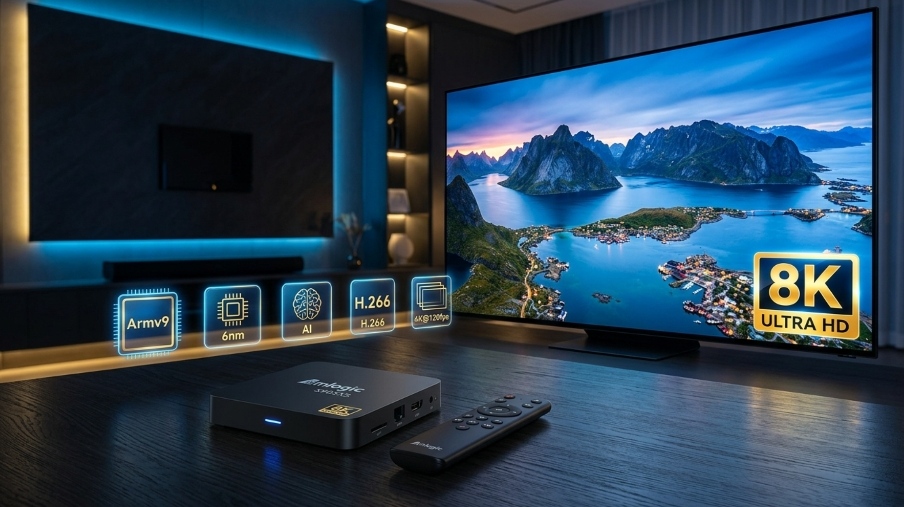
Why Hardware Matters for 8K IPTV
Streaming 8K content is not like streaming HD or even 4K. The sheer amount of data required is immense. A native 8K stream requires a sustained bandwidth of 50 to 100 Mbps and a device capable of efficient high-resolution video decoding. Your internet connection is only part of the equation. The processor, graphics unit, and memory of your streaming device are equally critical.
Without the right hardware, even the fastest internet connection will result in buffering, stuttering, and a frustrating experience. You need a device that can handle the heavy lifting of decoding advanced codecs like AV1 and H.266, and upscaling lower-resolution content to near-8K quality. This is where the Amlogic S905X5 TV Box comes into its own.
📊 8K Streaming Requirements
- Internet Speed: 50-100 Mbps sustained bandwidth
- Processor: Armv9 or equivalent for efficient decoding
- Codec Support: AV1, H.266 (VVC), H.265 (HEVC)
- Memory: 4GB+ RAM for smooth multitasking
- Connection: Ethernet recommended over Wi-Fi
Meet the Amlogic S905X5: A Generational Leap
The Amlogic S905X5 TV Box is a next-generation System-on-Chip (SoC) designed specifically for set-top boxes and TV boxes. It is the first Armv9 processor created for this market, marking a paradigm shift from the established S905X4. This isn't just a minor upgrade; it's a fundamental re-engineering of what a TV box processor can do.
Built on a cutting-edge 6nm process, the S905X5 is engineered for superior power efficiency and performance. Its quad-core Cortex-A510 Armv9 CPU delivers an impressive 40,000+ DMIPS, nearly double the performance of its predecessor. This translates to a buttery-smooth user interface, lightning-fast app loading, and seamless multitasking.
CPU Architecture
Quad-core ARM Cortex-A510
Armv9
Manufacturing Process
6nm (TSMC)
Superior power efficiency
CPU Performance
40,000+ DMIPS
Nearly double S905X4
GPU
ARM Mali-G310 V5
1 GHz clock speed
NPU (AI Accelerator)
3.2 to 4 TOPS
AI Super Resolution
Video Decode
H.266/VVC, AV1, VP9
AVS3, H.265/HEVC, H.264
Max Resolution
4K @ 120fps
8K decoding support
Max Memory
8 GB LPDDR4/4X/5
Double S905X4 capacity
Amlogic S905X5 vs S905X4: The Key Differences
To truly appreciate the leap forward, it's essential to compare the Amlogic S905X5 TV Box with its predecessor, the S905X4.
| Feature | Amlogic S905X4 | Amlogic S905X5 |
|---|---|---|
| CPU Architecture | ARMv8.2-A (Cortex-A55) | ARMv9-A (Cortex-A510) |
| Manufacturing Process | 12nm | 6nm |
| CPU Performance | 21,800 DMIPS | 40,000+ DMIPS |
| GPU | Mali-G31 MP2 | Mali-G310 V5 |
| NPU (AI) | None | 3.2-4 TOPS NPU with AI-SR |
| Max Memory | 4 GB | 8 GB |
| Video Decode | 4K@60fps | 4K@120fps |
| Video Output | 4K@60fps | 8K@60fps |
| H.266 Support | No | Yes |
💡 The Key Insight: The Amlogic S905X5 TV Box is not just an incremental update; it's a revolution. The jump to Armv9, the 6nm process, and the addition of a dedicated NPU for AI upscaling make it the ultimate chip for 8K IPTV and high-end streaming.
Top Amlogic S905X5 TV Boxes for 8K IPTV
Several manufacturers have released devices powered by the Amlogic S905X5 or its variants. Here are some of the best options:
Ugoos AM9
The Ugoos AM9 is a flagship Android 14 TV box featuring the full-power Amlogic S905X5 Armv9 SoC. It supports hardware decoding for H.266 and AV1 codecs and includes a 4 TOPS NPU for AI Super Resolution. With 4GB RAM and 64GB storage, it's a powerhouse for any 8K IPTV setup.
Key Features: Android 14, 4 TOPS NPU, USB 3.0 x3, H.266/AV1 decoding
Ugoos X5M Pro
The Ugoos X5M Pro is another excellent Android 14 TV box, but it is powered by the Amlogic S905X5M SoC. While the S905X5M is an Armv8 SoC with Cortex-A55 cores, it features a higher 2.5 GHz CPU clock and offers a significant performance upgrade over the S905X4.
Key Features: Android 14, S905X5M, USB 3.0, Gigabit Ethernet
Mecool MEon1
The Mecool MEon1 is an affordable 4K Google TV box that also uses the Amlogic S905X5M chipset. It features 2GB RAM, 32GB storage, WiFi 6, Bluetooth 5.2, Dolby Atmos, Vision, and crucially, Netflix 4K certification. It's a great value option for those wanting a certified 4K experience.
Key Features: Netflix 4K, WiFi 6, Android 14, Affordable
BuzzTV Classic AI
The BuzzTV Classic AI is a strong contender for IPTV users, offering a dedicated and organised streaming platform. It integrates well with IPTV services and provides a user-friendly experience for managing multiple playlists with BuzzTV 6 launcher.
Key Features: BuzzTV 6, DDR5 RAM, AI-SR 2 upscaling
8K IPTV Setup Guide: Step by Step
Once you have your Amlogic S905X5 TV Box, follow this guide to set it up for optimal 8K streaming.
Step 1: Physical Connection
HDMI Connection: Use a high-quality HDMI 2.1 cable to connect your TV box to your TV. Ensure you are using an HDMI 2.1 port on your television.
Power: Connect the power adapter and turn on the device.
Internet: For the most stable connection, use a wired Ethernet connection. If you must use Wi-Fi, ensure you have a WiFi 6 router and a strong signal.
Step 2: Initial Setup
Follow the on-screen instructions to set up your TV box. This will include selecting your language, connecting to your Google account, and setting the date and time.
Step 3: Install an IPTV Player
To watch IPTV, you need a dedicated player app. Two of the best options are:
- TiviMate: Highly recommended for its excellent Electronic Program Guide (EPG) and user-friendly interface.
- IPTV Smarters Pro: Another popular and reliable choice, available on most platforms.
Download your preferred player from the Google Play Store on your device.
Step 4: Configure Your IPTV Player for 8K
Enable Hardware Decoding: In your player's settings (e.g., TiviMate → Settings → Playback), enable Hardware Decoder. This offloads video processing to the device's GPU.
Adjust Buffer Size: Navigate to Playback Settings and increase the buffer size to "Very Large" or set it to 10-15 seconds.
Set Video Resolution: Ensure your player is set to output the highest resolution possible. For 8K, select 7680x4320. For 4K, ensure 3840x2160 is selected.
Step 5: Add Your IPTV Subscription
Open your IPTV player. Select the option to add a playlist or user. You will typically be given two options:
- Xtream Codes API: Enter the Server URL, Username, and Password provided by your IPTV service.
- M3U URL: Enter the M3U link provided by your IPTV service.
Once entered, your channel list will load. You are now ready to start streaming.
Optimizing Your Network for Buffer-Free 8K Streaming
Even with the best Amlogic S905X5 TV Box, your home network can be a bottleneck. Here's how to ensure a smooth 8K experience.
1. Assess Your Internet Speed
8K streaming requires serious bandwidth. Aim for a sustained speed of at least 60 Mbps, but 100 Mbps+ is highly recommended. Test your speed using a tool like Fast.com.
2. Combat ISP Throttling
Your Internet Service Provider (ISP) may intentionally slow down streaming traffic during peak hours. Using a VPN encrypts your traffic, preventing your ISP from seeing that you are streaming, and can bypass this throttling.
3. Reduce Wi-Fi Interference
Wi-Fi is inherently less stable than a wired connection. Whenever possible, use an Ethernet cable. If you must use Wi-Fi, ensure your router is up to date and positioned centrally.
4. Manage Network Traffic
Streaming 8K content consumes a lot of bandwidth. Ensure that other devices on your network are not heavily downloading or uploading while you are trying to watch.
🚀 Experience 8K IPTV with iPTV8KMax
Pair your Amlogic S905X5 TV Box with iPTV8KMax for the ultimate 8K IPTV experience. 50,000+ channels, 250,000+ movies, and stunning 8K/4K quality. Plans from $49/year. Free trial on WhatsApp.
⭐ Get iPTV8KMax Now → 💬 Free Trial on WhatsApp →⚡ 24/7 Support • Instant Activation • 30-Day Money-Back Guarantee
Frequently Asked Questions
What is the best S905X5 TV box?
For the absolute best performance and future-proofing with the full Armv9 S905X5 chip, the Ugoos AM9 is the top choice.
Do I need a specific HDMI cable for 8K?
Yes. For 8K streaming, you must use a high-speed HDMI 2.1 cable to handle the increased bandwidth.
Is 8K IPTV even available?
While native 8K content is still in its early stages, it is growing. The true benefit of the Amlogic S905X5 TV Box today is its ability to use AI Super Resolution (AI-SR) to intelligently upscale 1080p or 4K streams to near-8K quality.
How much RAM do I need?
For a smooth experience, especially when using advanced features like AI upscaling and multi-tasking, 4GB of RAM or more is recommended.
Conclusion
To unlock the full potential of Ultra-HD streaming and the future of 8K IPTV, investing in the right hardware is not an option—it's a necessity. The Amlogic S905X5 TV Box represents a generational leap in TV box technology. Its powerful Armv9 processor, advanced AI upscaling capabilities, and support for the latest codecs make it the undisputed champion for IPTV enthusiasts in 2026.
Whether you choose the flagship Ugoos AM9 or a certified value option like the Mecool MEon1, you are investing in a device that will deliver a stunning, buffer-free viewing experience for years to come. Pair this hardware with a fast, stable internet connection, and you'll be ready to experience television like never before.